Nothing fills without your PIN.
CQRME is a password manager and form filler for Chrome and Edge. Your logins, addresses and cards stay encrypted on your own computer, and every fill waits for your 4-digit PIN.
Free during early access. Works in Chrome and Microsoft Edge.
 CQRMEexample-bank.com
This is a live demo. Type any 4 digits.
How a fill works
Other password managers fill as soon as they're unlocked. CQRME asks you every time, inside a box the website can't read.
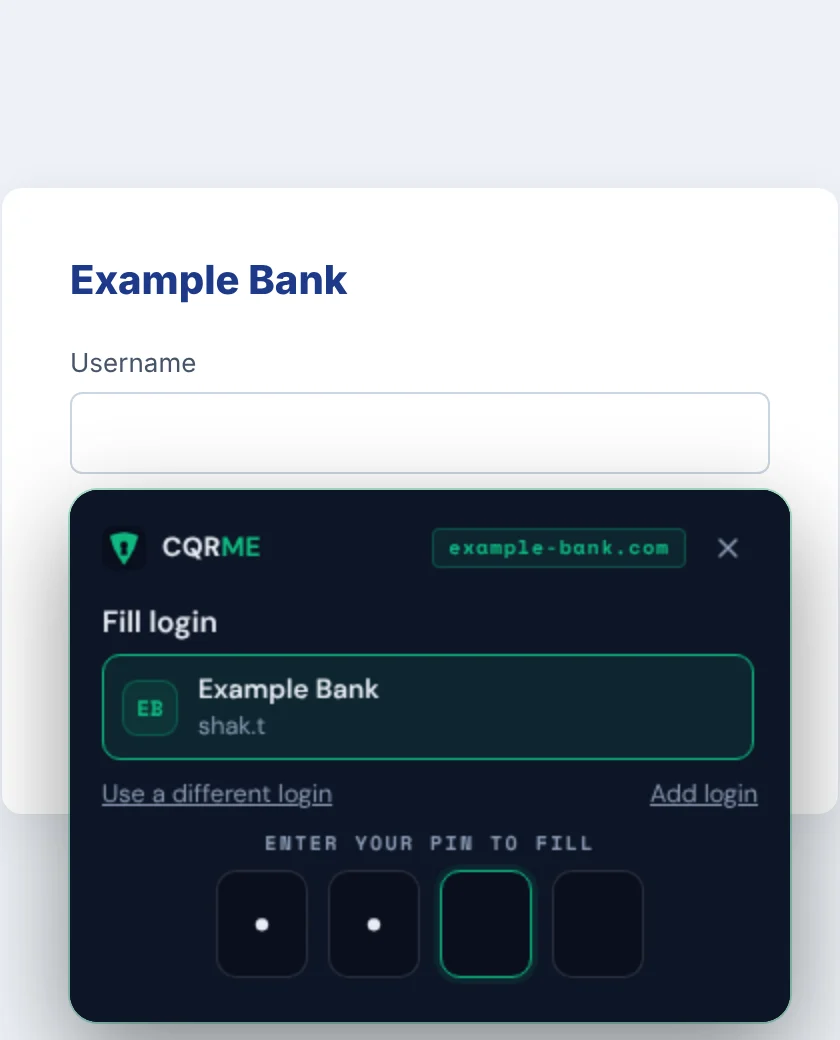
Click the shield in the field
CQRME spots login, address and card forms and puts its icon inside the field. Ctrl+Shift+L works too.
Choose what to fill
It offers only logins saved for this exact site, so a lookalike domain gets nothing.
Enter your PIN
Four digits approve the fill. Three wrong tries locks the vault until you enter your master password.
Done, and on the record
The form is filled and the fill is added to your activity history.
Built for the day something goes wrong
Most password managers are designed for convenience. CQRME is designed for the bad day: the phishing email, the stolen laptop, the person standing over your shoulder.
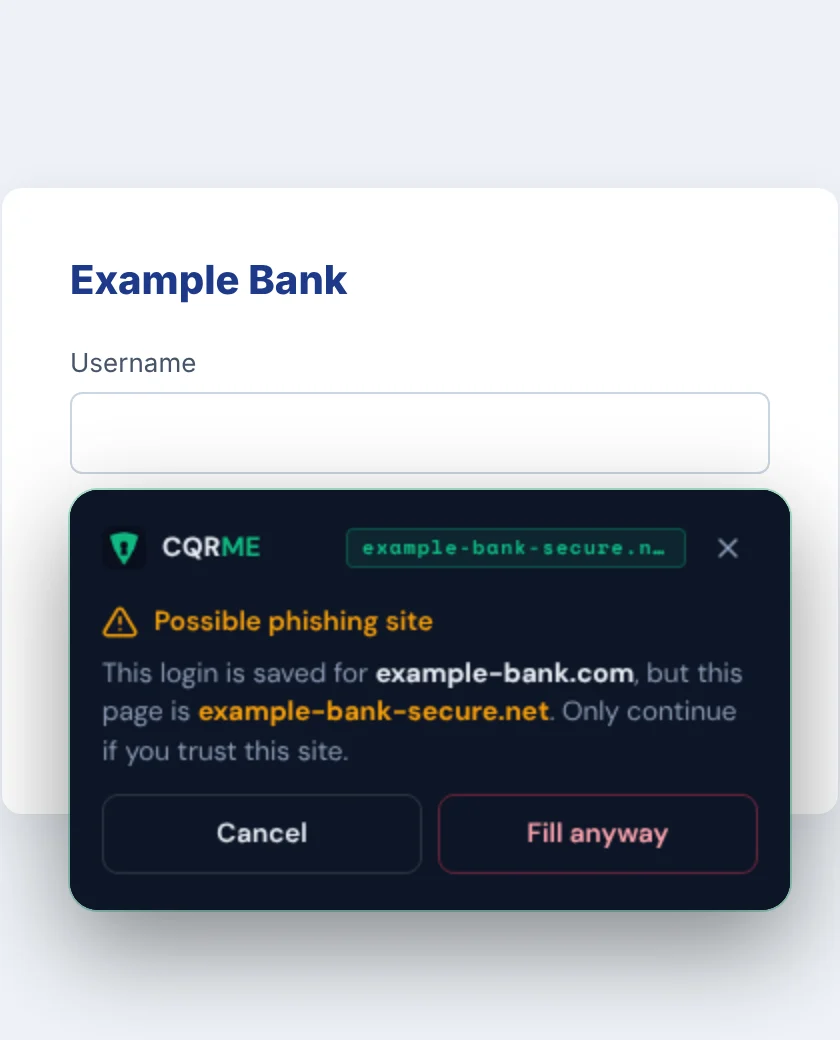
Lookalike sites get a warning, not your password
CQRME matches each login to the real site it was saved for. On example-bank-secure.net it won't offer your bank login at all. If you pick it anyway, it stops and tells you exactly which site you're on.
See every time your password was used
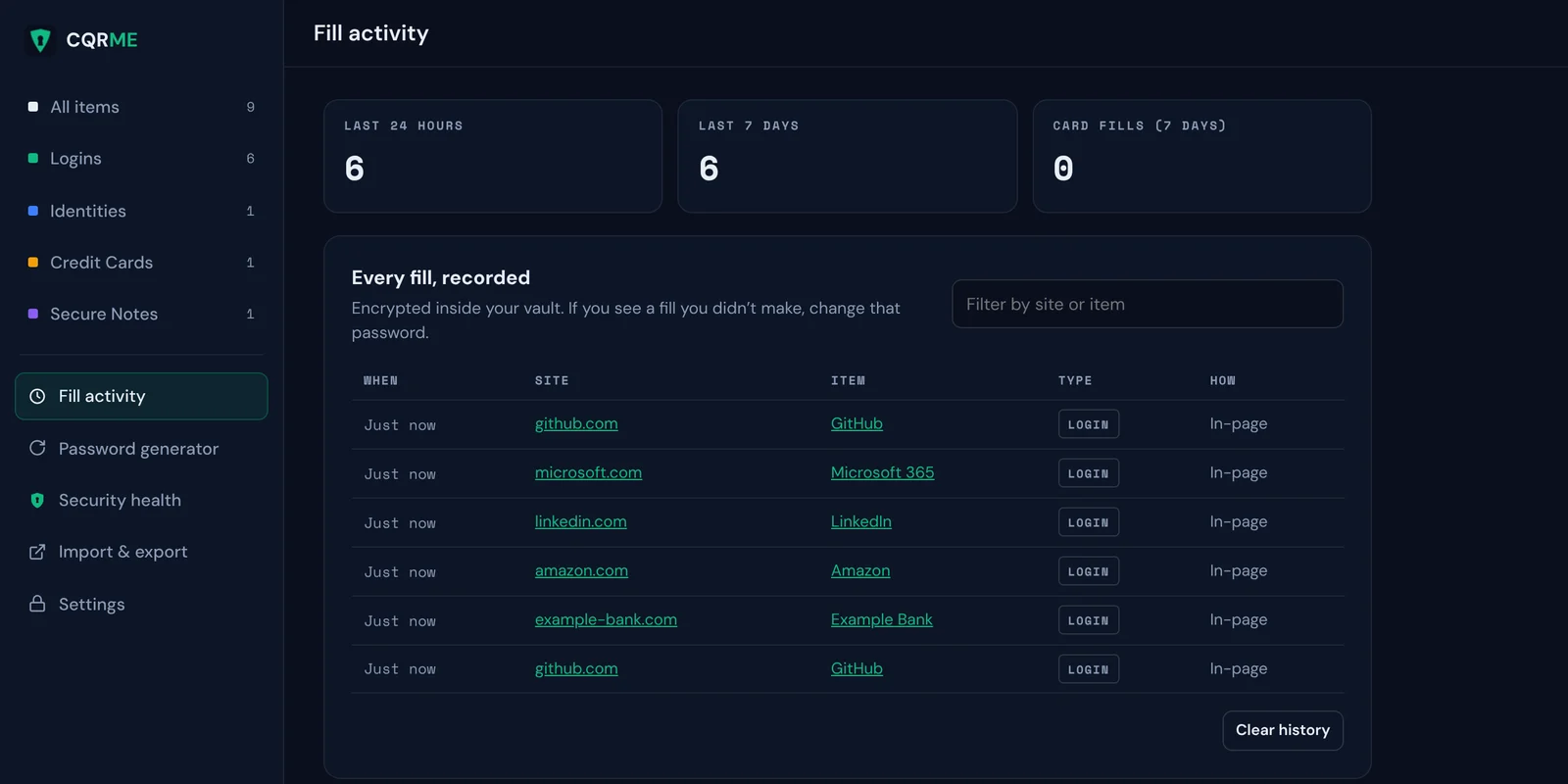
Every fill is recorded: which site, which login, when and how. The history is encrypted in your vault and follows you to your other computers. If you see a fill you didn't make, you know it's time to change that password.
A second PIN for when you're forced to unlock
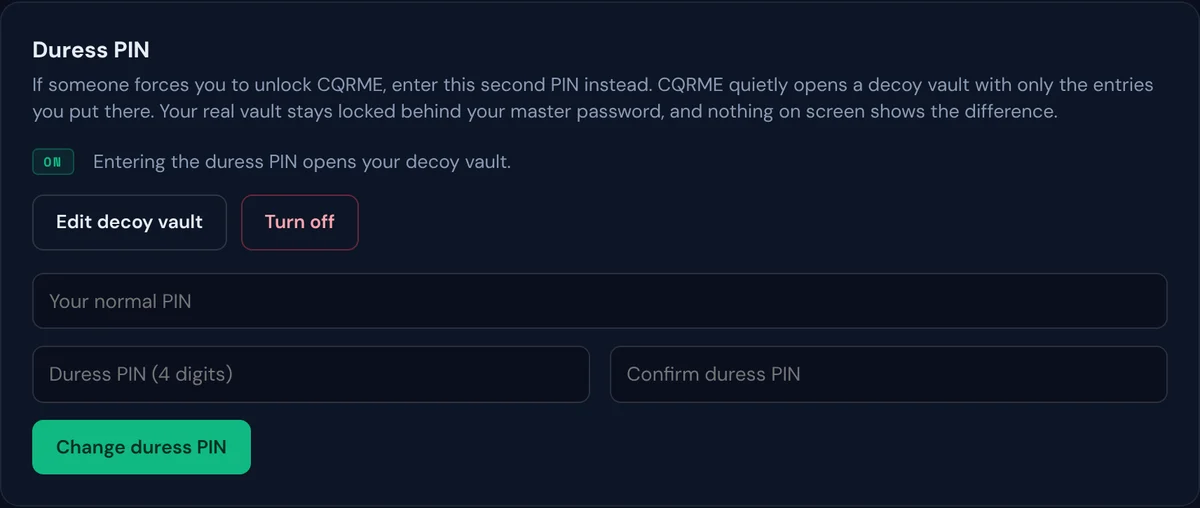
If someone makes you open your passwords, enter your duress PIN instead. CQRME quietly opens a decoy vault holding only the entries you chose to put there. Your real vault stays locked behind your master password, and nothing on screen gives it away.
We never hold your passwords
There is no CQRME server storing your vault, so there's nothing for attackers to steal from us. To use CQRME on more than one computer, point it at a folder in your own OneDrive, Google Drive or Dropbox. It keeps one encrypted file there, and edits made on different computers are merged.
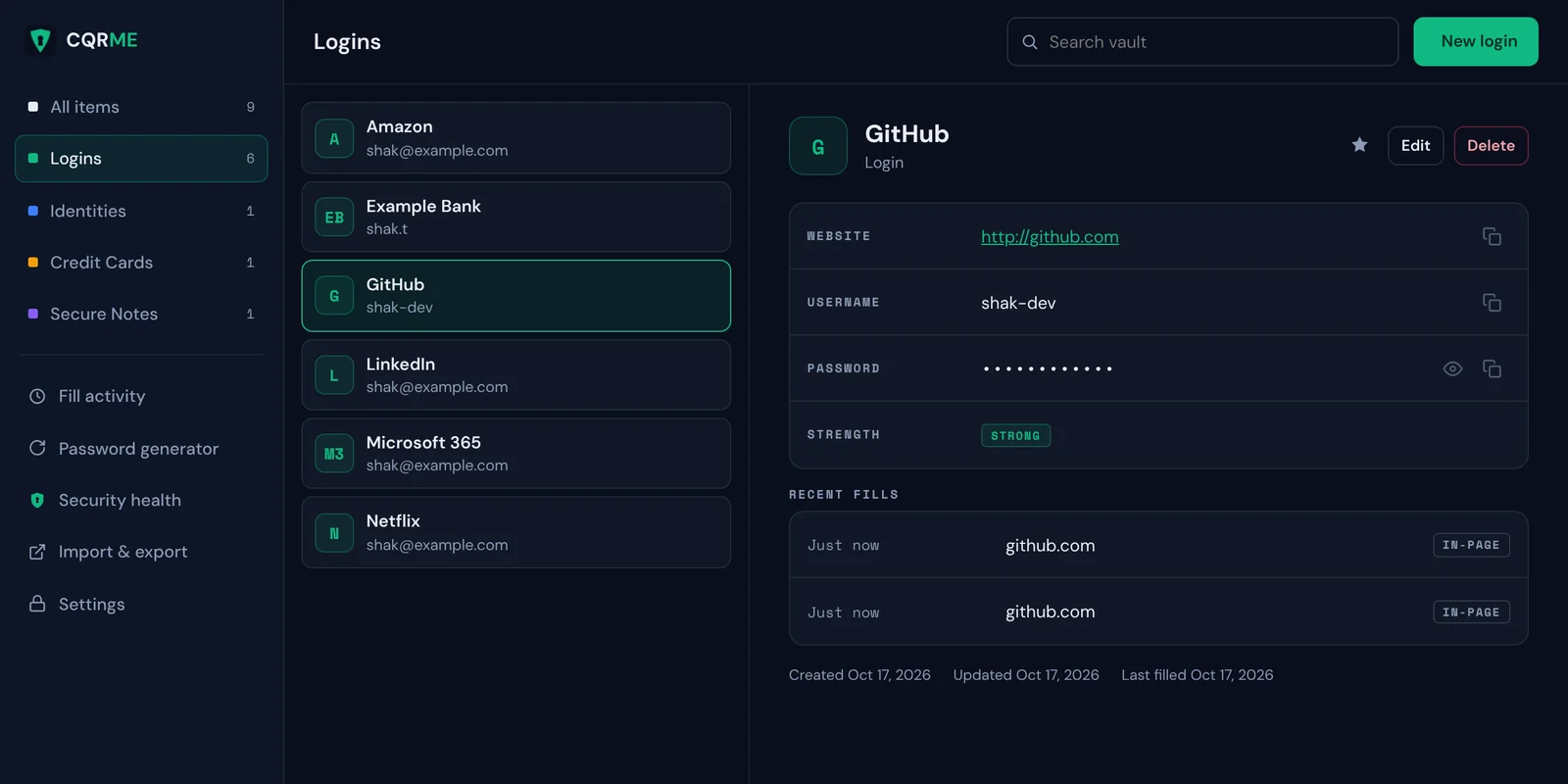
Everything else you'd expect
Address and card forms
Fill checkout and sign-up forms from saved profiles like Home and Business, including dropdowns.
Save as you sign in
Sign in or sign up as usual, and CQRME offers to save or update the password.
Password generator
Strong random passwords at the click of a button, or from the right-click menu on any password field.
Breach check
Finds weak, reused and leaked passwords. The leak check never sends your passwords anywhere.
Bring your passwords
Import from Chrome, Edge, RoboForm, Bitwarden, LastPass, 1Password or any CSV file.
Locks itself
After a few idle minutes, when Windows locks, and when the browser closes. Copied passwords clear after 30 seconds.
How CQRME is different
| Feature | CQRME | Typical cloud password manager |
|---|---|---|
| Where your vault is stored | Your computer, plus your own cloud drive if you choose | The company's servers |
| Approving each fill | PIN every time | Fills freely once unlocked |
| Fill history | Every fill recorded | Rarely offered |
| Duress PIN with decoy vault | Yes | Rarely offered |
| Lookalike-site warning | Before anything is filled | Usually just doesn't offer the login |
| Phone apps | Planned | Yes |
Free while we're in early access
Early users get the full product at no cost while we finish the Chrome Web Store release and phone apps. Paid plans will come later, and we'll tell you well before anything changes.
- Unlimited logins, identities, cards and notes
- PIN approval, fill history and duress PIN
- Phishing guard and breach check
- Sync through your own OneDrive or Google Drive
- Chrome and Microsoft Edge
Questions
What happens if I forget my master password?
Your data can't be recovered, by you or by us. CQRME never stores or sends your master password, which is exactly what keeps your vault safe if your computer is stolen. Keep an encrypted backup and write your master password down somewhere safe.
Can CQRME see my passwords?
No. Your vault is encrypted with AES-256 on your computer using a key made from your master password. We don't run a server that stores vaults, and the extension doesn't send analytics. Read the security details.
Why a PIN on top of a master password?
Your master password unlocks the vault. The PIN approves each individual fill, so a website, a script or someone at your keyboard can't pull passwords out of an unlocked vault without it.
How do I use it on more than one computer?
Turn on sync and choose a folder in your OneDrive, Google Drive or Dropbox. On your other computer, install CQRME and choose "Join with your sync folder". Your drive app moves the encrypted file between computers.
Does it work on my phone?
Not yet. CQRME runs in Chrome and Microsoft Edge on Windows and Mac today. Phone apps are on the roadmap.
Has CQRME been independently audited?
Not yet. An independent security audit is planned before paid plans launch, and we'll publish the report.
How do I get it?
CQRME is coming to the Chrome Web Store. Until then, email hello@cqrme.com and we'll send you the early-access build with install steps.
Your passwords, on your terms
Encrypted on your computer. Approved with your PIN. Recorded every time.